 Active Intercom
An intercom key panel on any screen
Channels as keys with LISTEN and TALK, latch, call and IFB — the logic of a hardware intercom panel, on a laptop in the control room and a phone in the pocket. A matrix decides which keys each person gets.
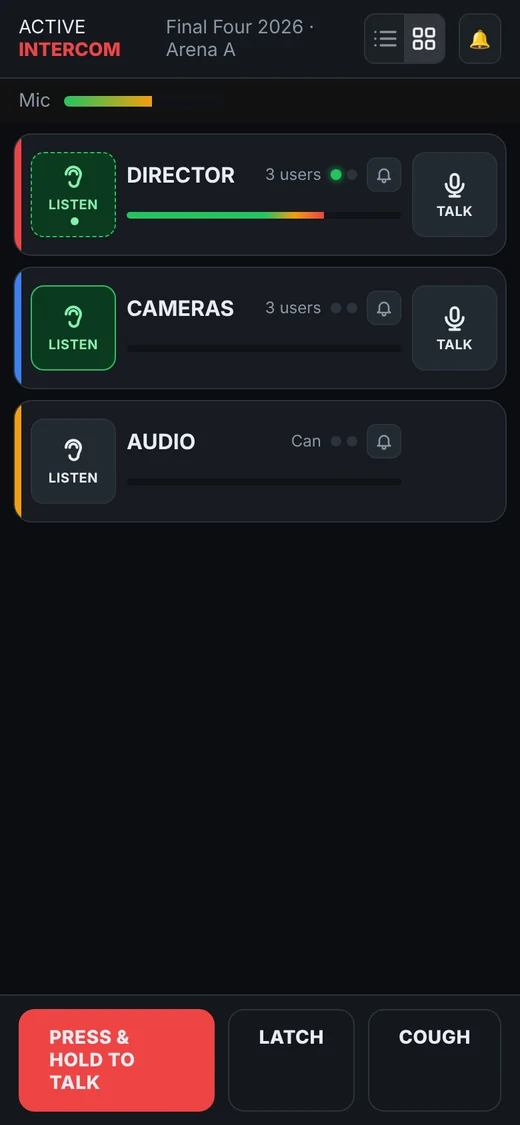
The logic of a hardware panel
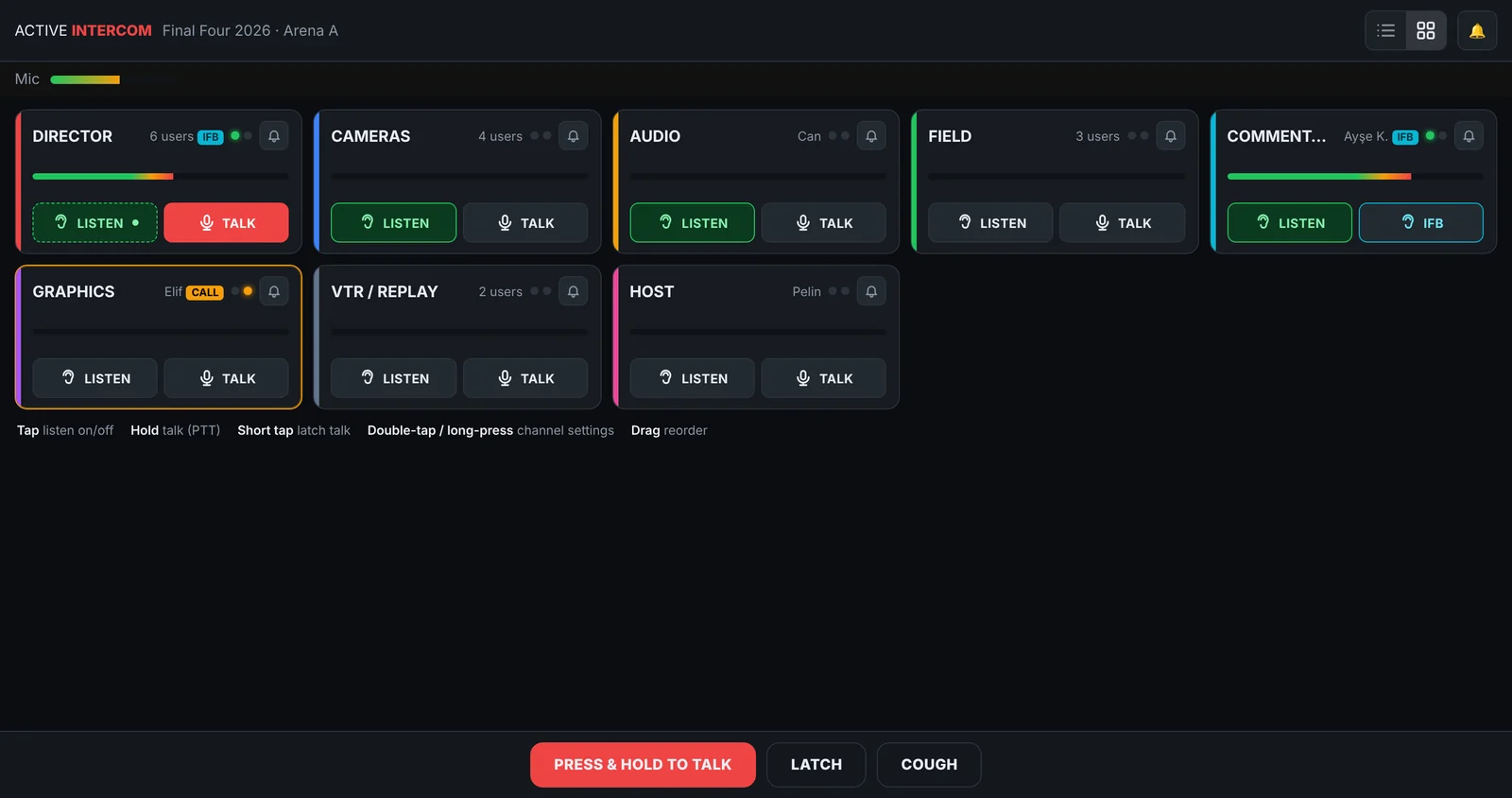
Every channel is a key with the channel colour, name, people count, a talk LED and a call LED, a level bar and LISTEN / TALK. Hold TALK to talk, tap it to latch, press the bell to call the channel. Directors get IFB keys that talk straight into a person's ear.
Key assignment matrix
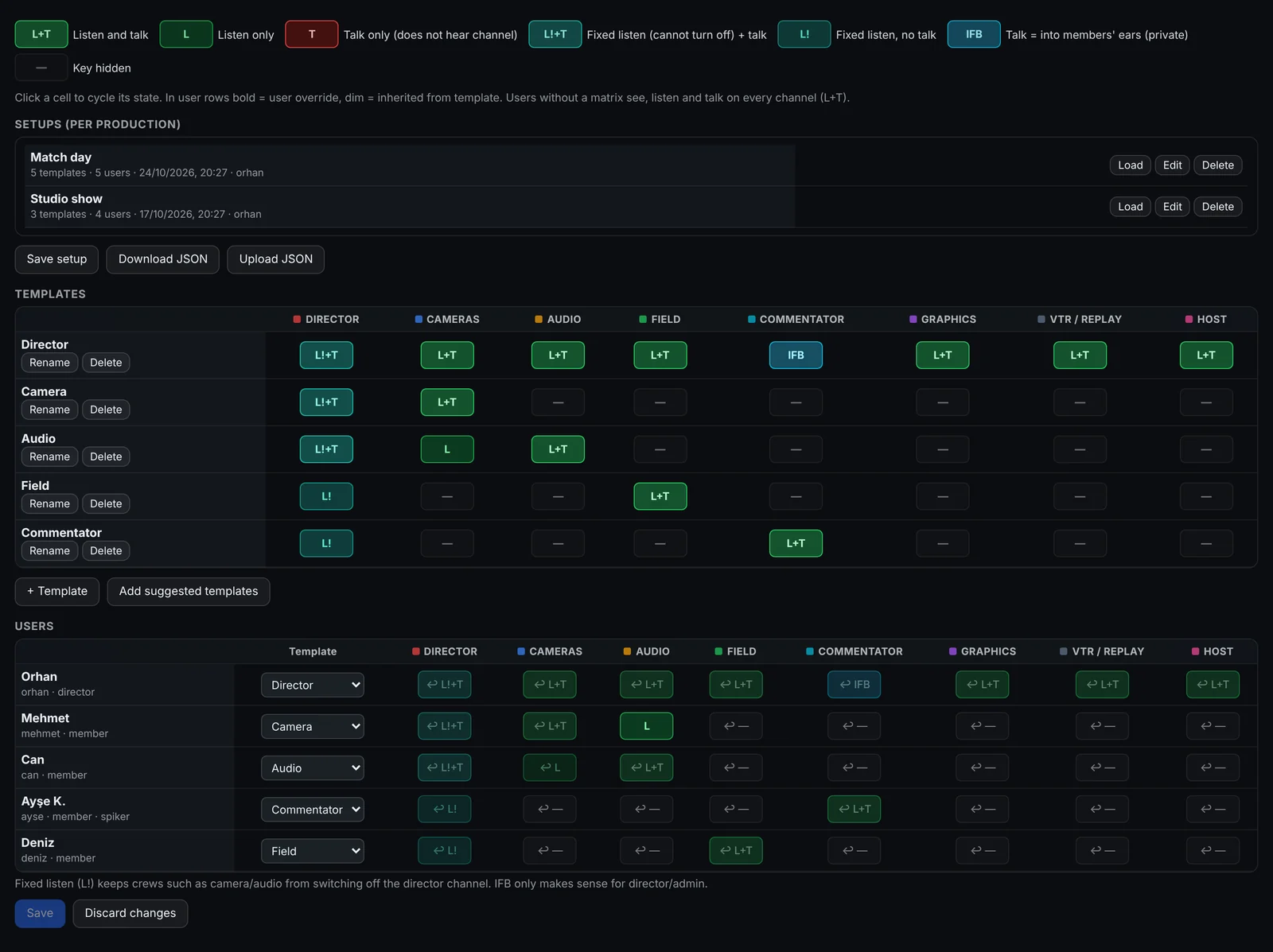
Rows are users, columns are channels. Each cell is L+T, L, T, L! (fixed listen), IFB or hidden. Templates for director, camera, audio, graphics, replay, field and commentator give every role the right panel in seconds; every connected screen updates the moment you save.
Setups per production
Save the matrix as a setup — "Match day", "Studio", "Final" — and load it with one click. Setups move between workspaces as JSON.
Cards or panel
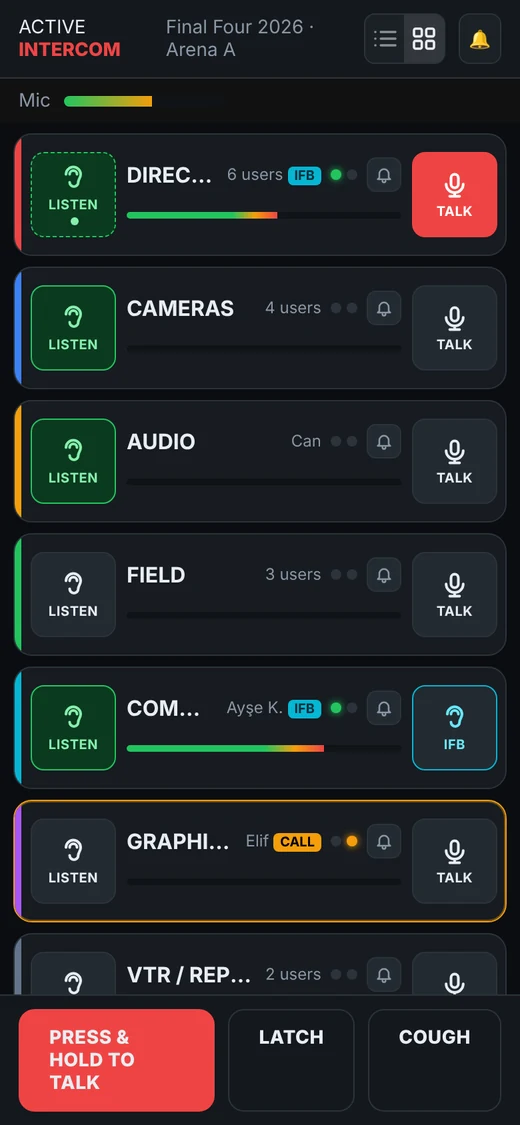
The same state shows as cards or as a key panel; each person chooses on their own device. On the phone the keys become rows: LISTEN left, TALK right.
One key per channel
LISTEN, TALK, latch, call and IFB.
Matrix & templates
Each role sees only its keys.
Fixed listen
Crews cannot switch the director off.
Instant updates
Save once, every screen changes.
FAQ
Does it copy a Clear-Com or Riedel panel?
It follows the same logic — one key per channel with listen, talk, latch and call lamps — but it is designed for touch and mouse and does not imitate any vendor's panel.
Can I stop people from turning off the director?
Yes. Give the DIRECTOR channel as L! or L!+T (fixed listen) in the matrix.
Is there a physical push-to-talk button?
Wired and Bluetooth headsets work today; support for Bluetooth PTT buttons is on the roadmap.
Can it connect to our hardware intercom?
Yes, through the Dante / 4-wire bridge, now in pilot.
Related
Start 7-day free trial
No card required · set up in 5 minutes
Start free