 Active Intercom
Commentators in Relaya cloud production
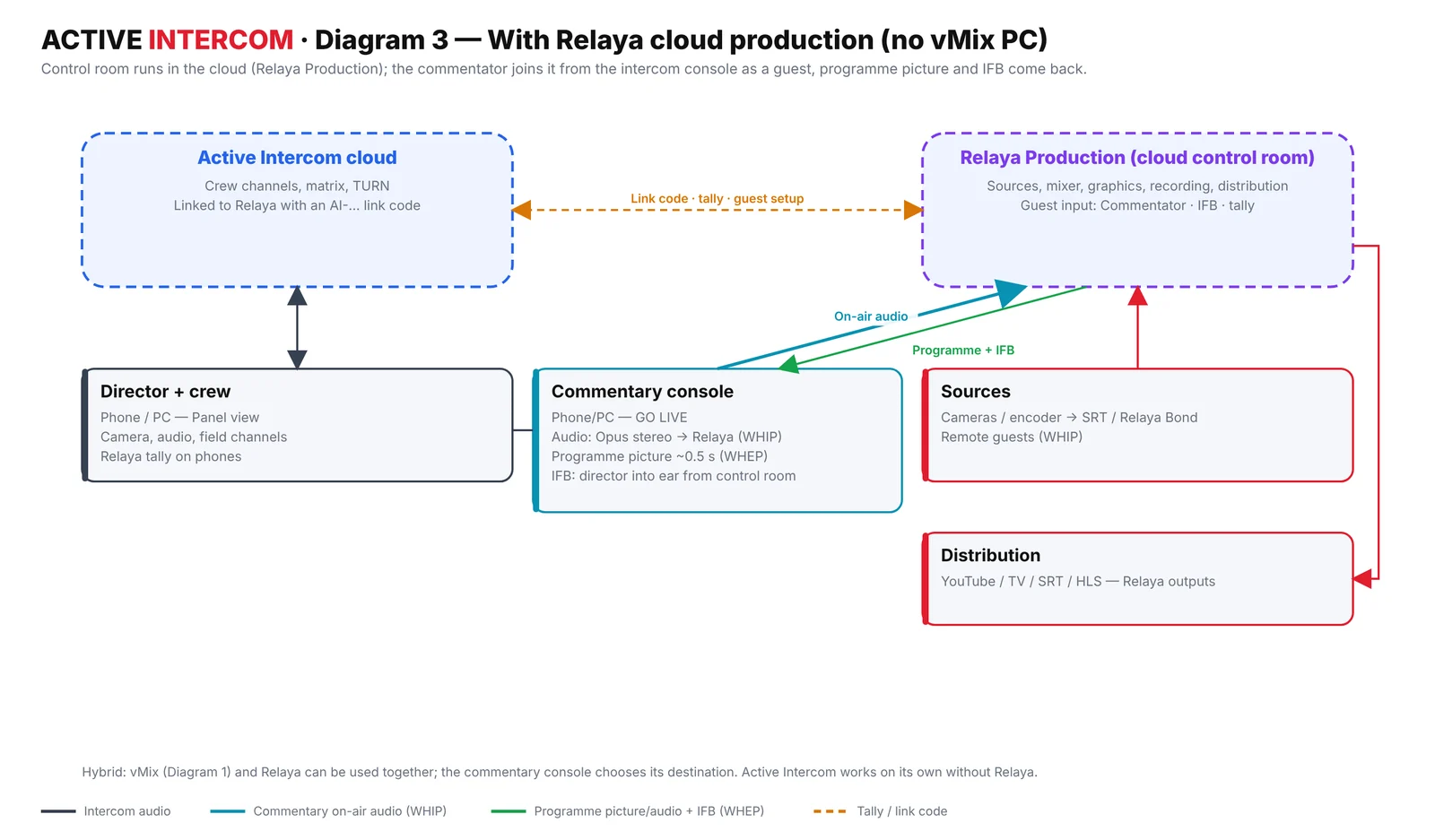
With Relaya cloud production there is no vMix PC in the chain: the commentator joins the control room as a guest, with programme picture, IFB and tally set up automatically.
- An Active Intercom workspace with a commentator account
- A Relaya production (relaya.tv)
- Pro plan for the Relaya link
Copy the link code
In Active Intercom open Admin › Tally and copy the Relaya link code.
Enter it once in Relaya
In Relaya open the production and paste the code into the Commentators (Active Intercom) card. You do this once per workspace.
Assign the commentator
From the production, assign a user of your workspace as commentator with one click. The guest input, audio settings, the console and the programme preview are set up automatically — the console shows Relaya · production name.
Go live
The commentator presses GO LIVE. The console shows Reaching control room, then the control-room tally (STAND BY / ON AIR) and director messages. The voice arrives in stereo Opus on the Guest · Commentator input.
Watch the low-latency source
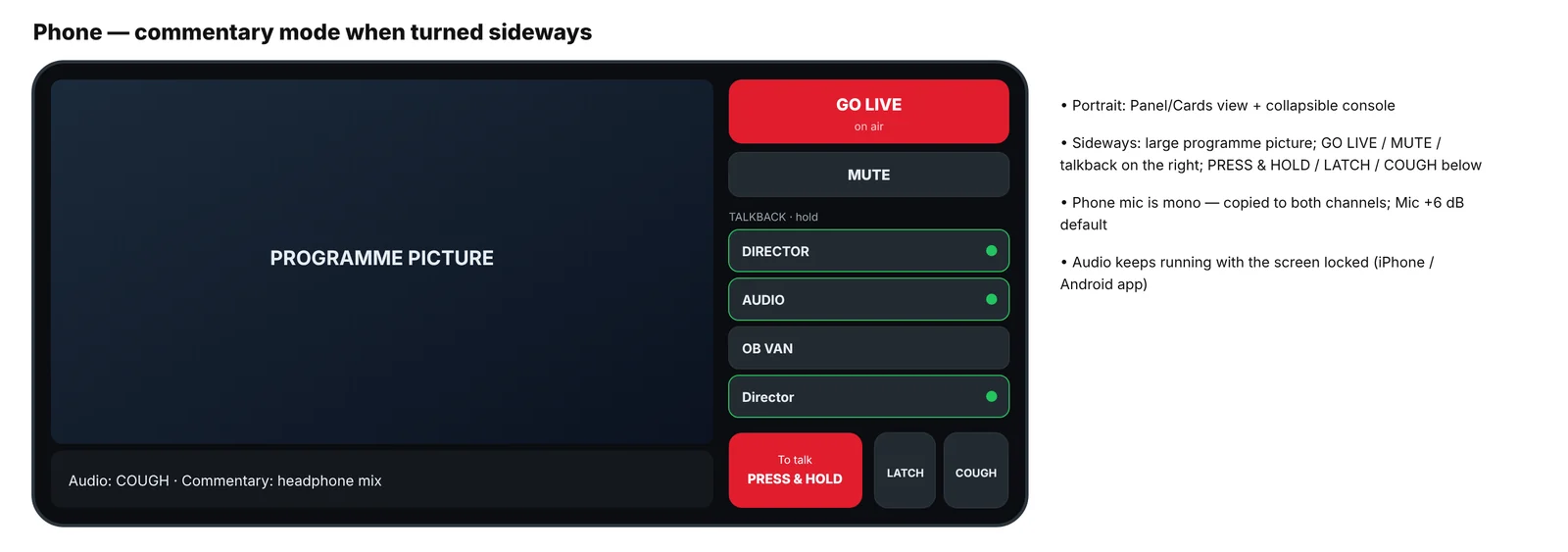
The console's source preview runs at about 0.5 s; the PGM output is a few seconds behind. Commentators should always watch the low-latency source so their reactions land on the right frame.
Troubleshooting & tips
- "Reaching control room" but no audio
- Press GO LIVE again. If the link code changed, the console says "your Relaya link changed" — reconnect with the new code.
- Voice only on the left channel
- On a phone the mic is mono and is copied to both channels automatically — update the app if you still see one channel.
- Do I still need the vMix bridge?
- No — with Relaya the voice goes straight into the cloud control room. vMix and Relaya can also be used side by side.
Share this guide
Related solutions
More guides
Start 7-day free trial
No card required · set up in 5 minutes
Start free