 Active Intercom
Commentator console: match-day checklist
A short routine for the commentator — from putting the headset on to leaving air — with the fixes for the problems that come up most.
- The Active Intercom app or a laptop browser
- A headset (wired headset-mic is safest)
- Your commentator login
Open the console
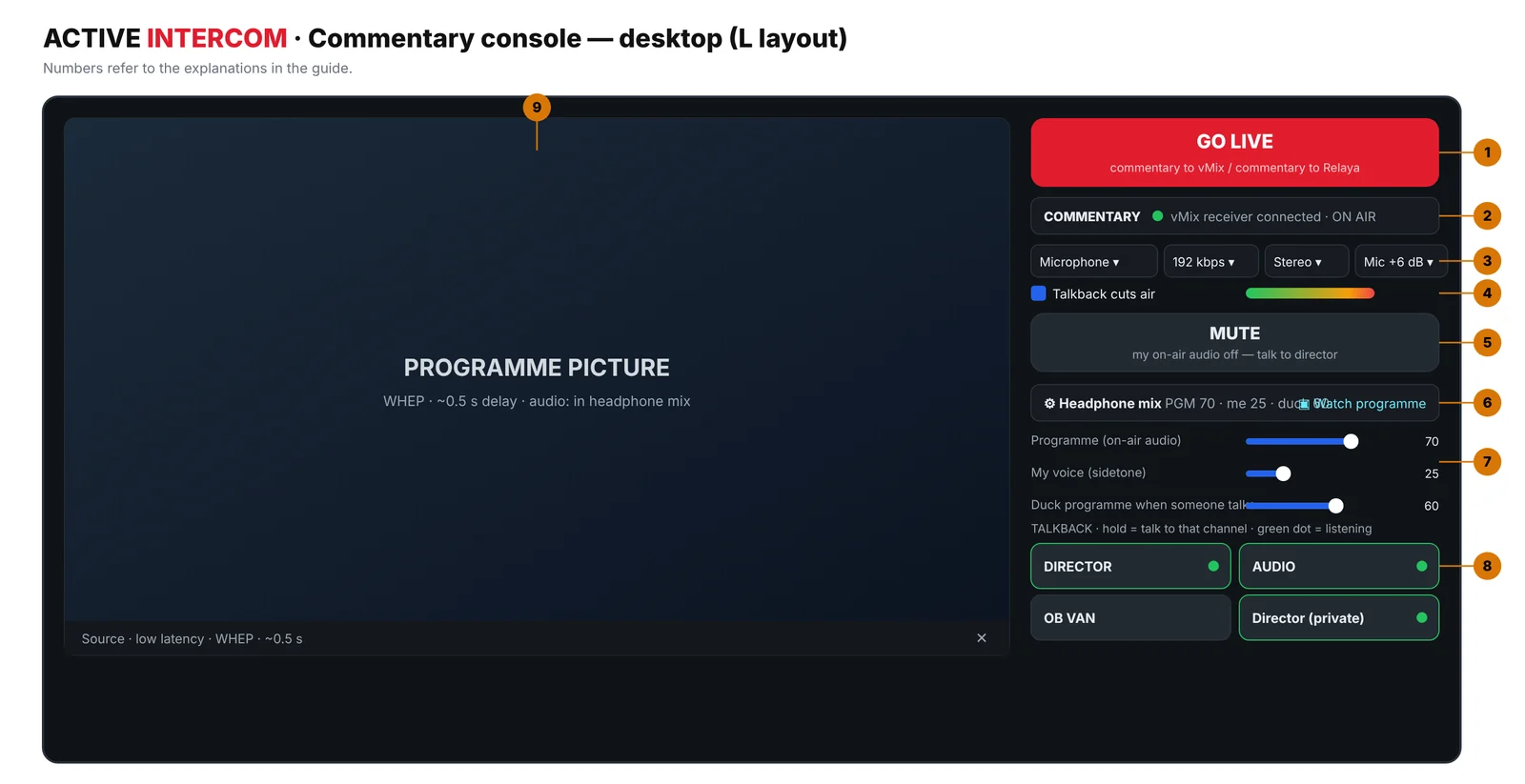
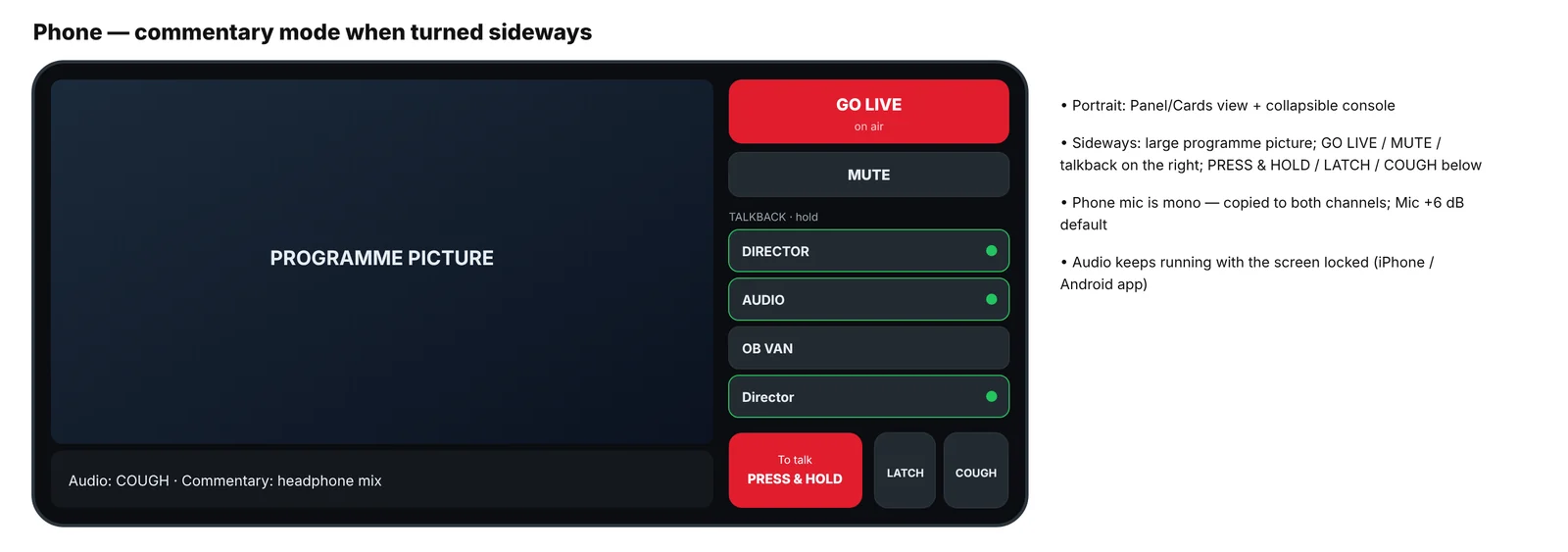
Sign in — the commentator console sits at the top (expand it with ▾ if it is minimised). On a phone, turn it sideways for the big programme picture.
Microphone and quality
Choose the microphone and check that the VU bar moves; keep it out of the yellow-red zone. Quality 192 kbps is recommended (64–320). Phone mics are mono and copied to both channels; Mic +6 dB is the default, use +12 for weak mics.
Headphone mix
Open Headphone mix: Programme = programme level in your ears, My voice (sidetone) = hearing yourself, Duck programme when someone talks = how much the programme drops while the director speaks.
Sound check with the director
Hold the DIRECTOR talkback key and check with the director. A green dot on a talkback key means you are listening to that channel.
GO LIVE
Press GO LIVE — red ON AIR means your voice is in the programme mix. Ask the vision mixer to confirm the level.
Breaks and half time
Press MUTE: your on-air audio is cut but the intercom stays open, so you can talk freely with the director. Un-mute before you are back on air. At the end, press GO LIVE again to leave air.
Troubleshooting & tips
- No audio on air
- Is the receiver running (vMix bridge) or the Relaya link active? MUTE off? Not holding a talkback key while "Talkback cuts air" is on?
- Low level or one channel
- On a phone raise Mic gain to +12 dB; keep the pan centred on the vMix input.
- No programme picture
- Ask the admin to fill Admin › Tally › Preview address (automatic with Relaya).
- I can't hear the director
- Check the green dot (listening) on the DIRECTOR key; raise the ducking value if the programme is too loud.
Share this guide
Related solutions
More guides
Start 7-day free trial
No card required · set up in 5 minutes
Start free