 Active Intercom
Several commentators in vMix — separate inputs, IFB and mix-minus
Two or three voices — commentator, analyst, second language — each on its own vMix input, each with programme return and the director in their ear.
- The single-commentator setup working (see the vMix commentator guide)
- VB-CABLE A+B (donationware) for slots 2 and 3
- A spare vMix bus for the programme return
Give everyone a slot
Admin › Users: each commentator gets Commentator ticked, a role (commentator / analyst / reporter / translator) and their own slot: 1, 2, 3…
Add more virtual cables
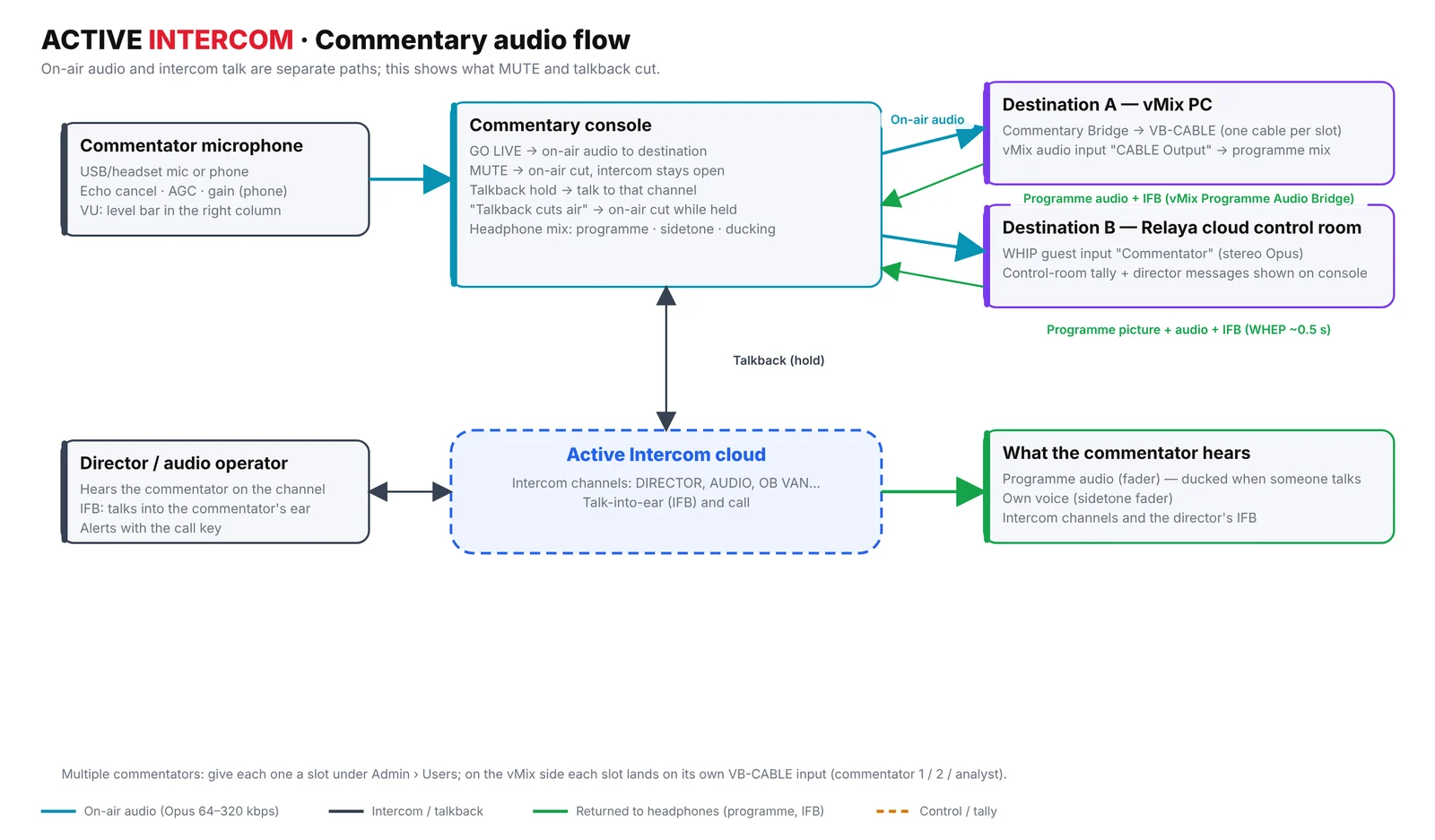
Install VB-CABLE A+B on the vMix PC. The bridge page maps slot 1 → CABLE Input, slot 2 → CABLE-A Input, slot 3 → CABLE-B Input automatically; you can change the mapping on the page.
One vMix input per voice
In vMix add an Audio Input for each CABLE … Output. Each commentator now has their own fader and buses — for example the second language on Bus B. The bridge page has a per-commentator mute for emergencies.
Build the programme return (mix-minus)
In vMix Settings › Audio Outputs make Bus A = master minus the commentary inputs (untick "A" on the CABLE inputs). Run the Programme Audio Bridge on Bus A. Commentators now hear the programme without their own voice — no echo.
Talk into a commentator's ear (IFB)
In Admin › Matrix give commentators DIRECTOR as L! (fixed listen, no talk) and set the director's COMMENTATOR key to IFB. The director holds that key to speak privately into their ears; the programme in their headphones ducks automatically while the director talks.
Troubleshooting & tips
- Two voices on one input
- Both commentators are on the same slot — give them different slot numbers.
- Commentator hears an echo of themselves
- The commentary input is still on Bus A — untick A on every CABLE input.
- Programme too loud over the director
- The commentator raises "Duck programme when someone talks" in the headphone mix.
Share this guide
Related solutions
More guides
Start 7-day free trial
No card required · set up in 5 minutes
Start free